Business License

How to Choose the Right Kiosk Printer for Self-Service Ticket Kiosk Projects
A Complete Selection Guide for System Integrators and Kiosk Manufacturers
When designing a self-service ticket kiosk, many engineers focus on the touchscreen, payment module, or software system first.
However, the printer module is one of the most important components affecting the long-term reliability of the kiosk.
A ticket kiosk printer must work in an unattended environment, handle thousands of printing cycles, support different ticket media, and integrate smoothly with the kiosk controller.
After years of working with kiosk manufacturers and system integrators, we found that many ticket kiosk problems are caused by choosing the wrong printer specification during the early design stage.
Common issues include:
ticket jams caused by unsuitable paper thickness
failed ticket delivery without presenter function
unstable communication between printer and kiosk controller
difficult maintenance after deployment
frequent replacement in high-volume environments
This guide explains how to choose a kiosk printer for self-service ticket kiosk projects, including printing technology, mechanical integration, software compatibility, and supplier evaluation.
Quick Answer: How to Choose a Kiosk Printer for a Ticket Kiosk?
For most self-service ticket kiosk projects, the recommended selection process is:
Define the ticket size and paper thickness
Calculate daily printing volume
Select the appropriate printer width (58mm or 80mm)
Decide whether a presenter mechanism is required
Confirm interface and SDK compatibility
Verify mechanical installation requirements
Choose a supplier with engineering support
For professional applications such as parking ticket kiosks, transportation ticket machines, and amusement park ticket terminals, an 80mm thermal kiosk printer with presenter function is usually the preferred solution.
1. Understand Your Ticket Kiosk Application First
A kiosk printer should be selected according to the application, not only based on price.
Different industries have different requirements.
Self-Service Ticket Kiosk Applications
| Application | Printer Requirement |
|---|---|
| Parking Ticket Kiosk | Reliable feeding, presenter, outdoor durability |
| Metro Ticket Machine | High-speed printing, barcode/QR support |
| Bus Ticket Terminal | Compact design, stable operation |
| Theme Park Ticket Kiosk | Fast printing, customized ticket media |
| Visitor Management Kiosk | ID ticket printing, easy maintenance |
| Event Ticket Terminal | High-quality barcode printing |
| Boarding Pass Kiosk | Long ticket support, accurate feeding |
Before selecting a printer, confirm:
What type of ticket will be printed?
How thick is the ticket media?
How many tickets are printed per day?
Is the kiosk indoor or outdoor?
Does the ticket need automatic presentation?
2. Select the Correct Printer Width: 58mm or 80mm?
The first hardware decision is usually the printing width.
58mm Kiosk Printer
58mm thermal kiosk printers are commonly used for compact terminals.
Suitable applications:
queue management kiosks
small vending terminals
payment kiosks
compact self-service machines
Advantages:
smaller installation size
lower cost
simple integration
Limitations:
limited ticket information area
smaller barcode printing area
80mm Kiosk Printer
For commercial ticketing systems, 80mm printers are more widely used.
Recommended applications:
parking ticket machines
transportation ticket kiosks
self-service ticket vending machines
amusement park ticket systems
Advantages:
larger printing area
better QR code readability
supports more ticket information
better user experience
For most professional ticket kiosk projects:
80mm kiosk printer + presenter function is the recommended configuration.
3. Check Ticket Thickness and Paper Compatibility
One of the most common mistakes in kiosk projects is selecting a printer only according to paper width.
Ticket media can vary significantly.
Examples:
standard thermal paper
parking tickets
vouchers
coupons
thick thermal cards
Important specifications:
Maximum Paper Thickness
Standard receipt printers usually support thin paper only.
Professional kiosk printers may support:
thicker ticket media
customized paper
folded ticket applications
For example:
Parking ticket systems often require:
thick paper support
reliable feeding
anti-jam structure
Always confirm:
paper thickness range
media type
cutter capability
4. Do You Need a Kiosk Printer with Presenter Function?
For unattended ticket kiosks, a presenter is highly recommended.
A normal printer:
Print → Cut → Ticket remains inside printer exit
A presenter printer:
Print → Cut → Hold → Deliver ticket to user
Benefits:
Prevent Forgotten Tickets
Customers may leave without taking the ticket.
A presenter system reduces ticket loss.
Improve User Experience
The ticket is automatically positioned at the pickup area.
Support Ticket Recovery
Some presenter systems support ticket retract functions.
Useful for:
parking systems
access control
transportation terminals
5. Consider Printing Speed and Reliability
A kiosk printer operates differently from an office printer.
It needs:
continuous operation
stable feeding
easy maintenance
Key specifications:
Print Head Life
Important for high-volume applications.
Cutter Life
Frequent cutting requires a durable cutter mechanism.
Motor Reliability
The feeding motor directly affects ticket delivery stability.
For unattended kiosks, reliability is usually more important than maximum printing speed.
6. Interface and SDK Compatibility
A kiosk printer must communicate with the kiosk computer.
Common interfaces include:
USB
Suitable for:
Windows kiosk systems
Android terminals
Advantages:
easy integration
simple installation
RS232 Serial
Common in:
parking systems
industrial terminals
Advantages:
stable communication
long service history
Ethernet
Suitable for:
connected kiosks
centralized management systems
Before purchase, confirm:
communication protocol
SDK availability
driver support
operating system compatibility
A professional kiosk printer supplier should provide:
Windows SDK
Linux SDK
Android SDK
programming documentation
7. Mechanical Integration Requirements
A kiosk printer is an embedded component.
Mechanical compatibility is critical.
Check:
Mounting Method
front panel mounting
rear mounting
customized bracket
Installation Space
Confirm:
printer dimensions
paper roll position
cable direction
maintenance access
Design Support
For kiosk manufacturers, CAD drawings and 3D files can significantly reduce development time.
8. Recommended Printer Configuration by Project Type
| Project | Recommended Configuration |
|---|---|
| Small Self-Service Terminal | 58mm thermal kiosk printer |
| Parking Ticket Kiosk | 80mm kiosk printer + presenter |
| Metro Ticket Machine | 80mm high reliability printer |
| Theme Park Ticket System | 80mm barcode ticket printer |
| Voucher Printing Kiosk | Thick media compatible printer |
| Outdoor Ticket Terminal | Industrial kiosk printer |
9. Example: Recommended Configuration for Common Ticket Kiosk Projects
Parking Ticket Kiosk
Recommended:
80mm thermal printer
presenter function
RS232 / USB interface
high durability cutter
Suitable for:
parking entry terminals
parking payment machines
Transportation Ticket Machine
Recommended:
80mm kiosk printer
barcode / QR printing capability
large paper roll support
SDK integration
Self-Service Visitor Kiosk
Recommended:
compact 58mm or 80mm printer
easy paper replacement
USB interface
10. How to Select a Reliable Kiosk Printer Supplier?
Choosing the right supplier is as important as choosing the printer model.
A professional supplier should provide:
Engineering Support
Including:
CAD files
SDK
protocol documents
integration assistance
Customization Capability
Including:
firmware customization
connector modification
mechanical customization
Production Capability
Confirm:
sample availability
mass production capacity
quality control process
Application Experience
A supplier with experience in:
parking systems
ticketing solutions
self-service kiosks
can provide better recommendations.
Why Choose SNRO Kiosk Printers?
SNRO specializes in embedded kiosk hardware solutions for self-service terminals.
Our kiosk printer solutions are designed for:
system integrators
kiosk manufacturers
ticketing solution providers
Features include:
✓ 58mm and 80mm thermal kiosk printers
✓ Panel mount design
✓ Presenter mechanism options
✓ USB / RS232 / Ethernet interfaces
✓ Windows / Linux / Android support
✓ SDK and integration support
✓ OEM customization capability
Applications:
parking ticket kiosks
transportation ticket machines
theme park ticketing
visitor management kiosks
self-service terminals
SNRO works with customers from the early design stage to help select the correct kiosk printer according to:
ticket requirements
mechanical structure
software environment
project volume
FAQ: Kiosk Printer Selection
What is the best printer for a self-service ticket kiosk?
For most commercial ticket kiosks, an 80mm thermal kiosk printer with presenter function provides the best balance between reliability, ticket size, and user experience.
What is the difference between a kiosk printer and a receipt printer?
A kiosk printer is designed for embedded unattended terminals. It provides stronger mechanical structure, longer lifetime, panel mounting, and better integration capability.
Do parking ticket kiosks need a presenter?
Yes. Presenter mechanisms help deliver tickets automatically and reduce problems caused by users forgetting to take tickets.
Can kiosk printers print QR codes?
Yes. Thermal kiosk printers can print QR codes, barcodes, and ticket information when used with suitable thermal media.
What information should I provide when asking for a kiosk printer quotation?
A professional supplier normally needs:
application type
paper width
ticket thickness
daily printing volume
interface requirement
installation space
operating system
Need Help Selecting a Kiosk Printer?
If you are developing:
self-service ticket kiosks
parking systems
transportation terminals
vending kiosks
smart self-service machines
SNRO engineering team can recommend the suitable kiosk printer based on your project requirements.
Contact us for:
product selection support
CAD drawings
SDK documents
sample testing

Contact Us
Recommended Products
-
 Barcode Reader Card Issuer With Card Recycling Function for Self Service Kiosk Ticketing SystemNegotiableMOQ: 50 Units
 -
RFID Card Dispenser Module With MIFARE Read Write Function for Hotel Key Card Self Service KioskNegotiableMOQ: 50 Units
-
Motorized Card Collector Module for Self Service Kiosk Hotel Key Card Return and RFID Card Recycling SystemNegotiableMOQ: 50 Units
-
80mm Heavy Duty Kiosk Thermal Printer for Ticket Boarding Pass Folded Paper PrintingNegotiableMOQ: 50 Units
-
80mm Kiosk Thermal Printer With Anti-Drag Anti-Pull Jam-Free Bezel for Self Service TerminalNegotiableMOQ: 50 Units
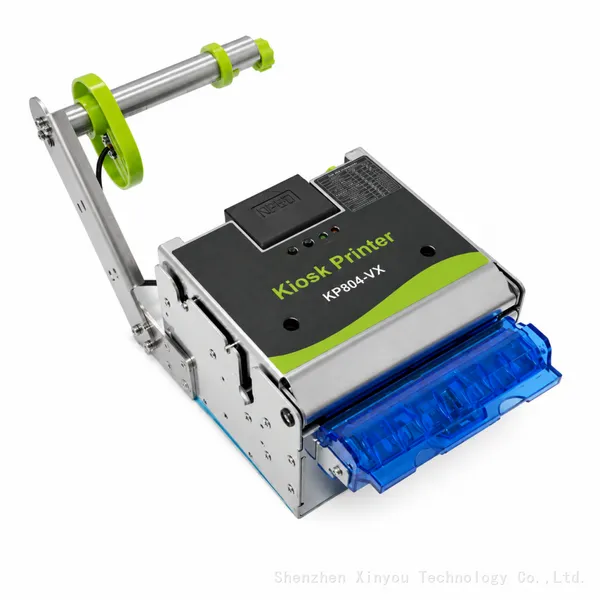
-
80mm Kiosk Ticket Printer With Presenter and Retracting Function for Self Service Terminal and Parking SystemNegotiableMOQ: 50 Units
-
58mm 60mm Kiosk Thermal Printer Module With Auto Cutter and Anti-Jam Function for Self Service TerminalNegotiableMOQ: 50 Pieces
-
Motorized Card Dispenser Reader Writer Module With RFID IC Magnetic Card Support for Self Service KioskNegotiableMOQ: 50 Units
-
Motorized RFID Card Dispenser With Card Reader Integration for Hotel Self Check-in Kiosk and Smart Card Issuing SystemNegotiableMOQ: 50 Units
-
Automated Circulating RFID Card Dispenser With Card Recycling Function for Hotel Self Check-in Kiosk and Smart Card Issuing SystemNegotiableMOQ: 50 Units
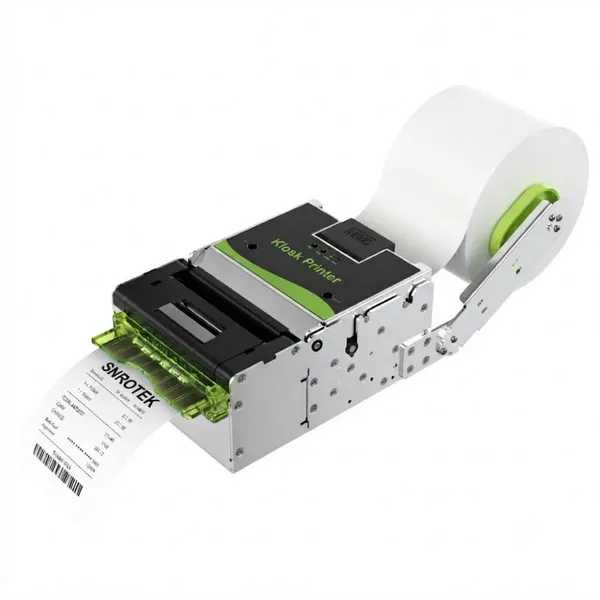
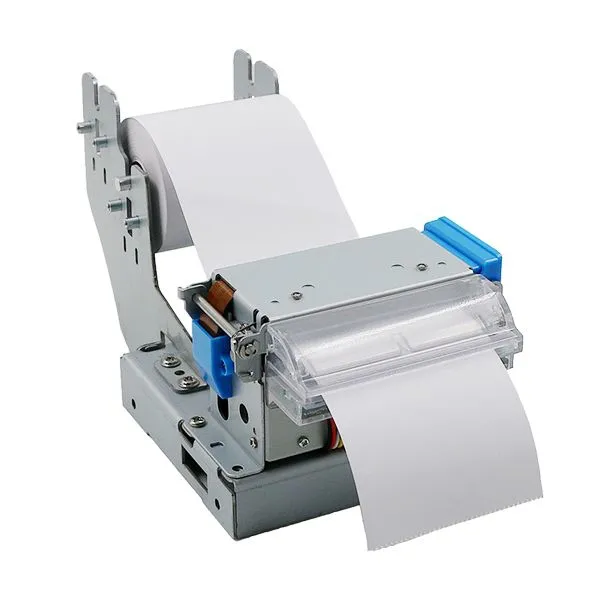
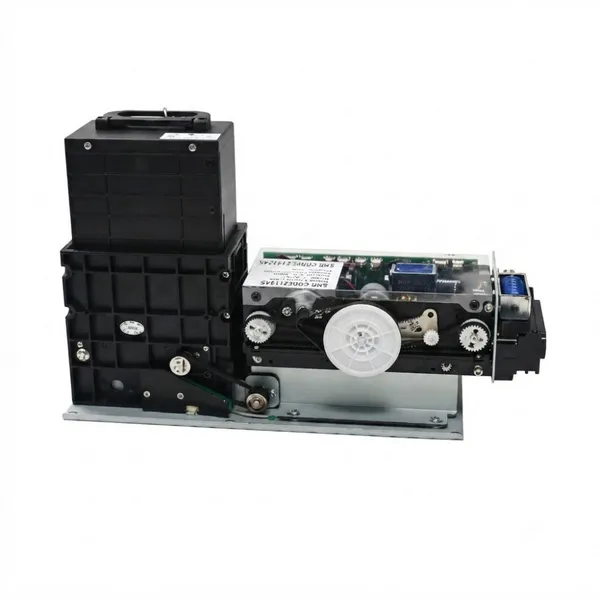
-
60mm High Speed Kiosk Thermal Printer Module With Auto Cutter and Anti-Paper Jam System for Self Service KioskNegotiableMOQ: 50 Pieces
-
80mm Panel Mount Thermal Printer With Auto Cutter for Self Service Kiosk, Ticket Machine and Receipt PrintingNegotiableMOQ: 50 Units
-
80mm Kiosk Ticket Printer With Presenter and Retracting Function for Self Service Terminal and Parking SystemNegotiableMOQ: 50 Units
-
80mm Kiosk Thermal Printer Module With Auto Cutter for Self Service Kiosk, Parking System and Ticket MachineNegotiableMOQ: 50 Units